Motorcycle Intercom Music Sharing: How It Works and Which Models Support It
- A2DP (Bluetooth audio streaming) lets you share music with one riding partner
- Only one person controls playback — the other rider listens along
- MESH intercoms (S13) support music + intercom simultaneously with MST technology
- Bluetooth intercoms pause music during incoming calls, then resume
- Music sharing range = intercom range (typically 500–700m real-world)
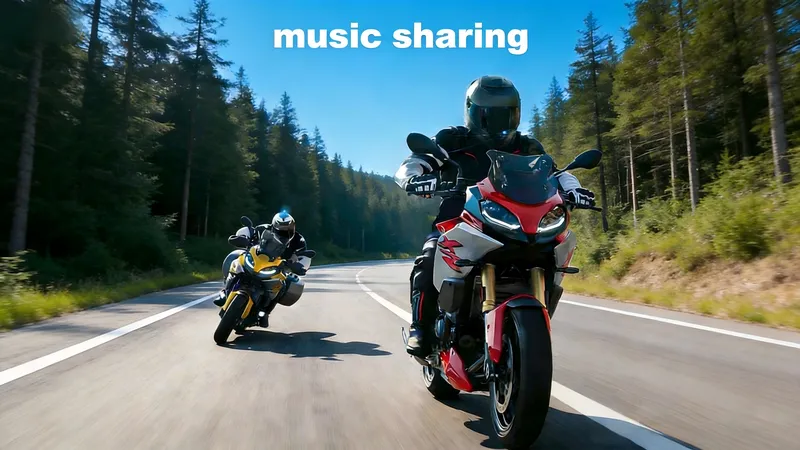
Riding with music makes every mile better. But sharing that music with your riding partner — both of you hearing the same song at the same time through your helmets — turns a solo experience into a shared one. It's the difference between each rider wearing earbuds and both riders jamming together.
Music sharing is one of the most popular features on modern motorcycle intercoms. But it works differently depending on whether you're using Bluetooth or mesh, and there are limitations most riders don't know about until they try it.
This guide explains how intercom music sharing works, which SCSETC models support it, and what you can realistically expect.
How Music Sharing Works: The Technology
Music sharing uses the A2DP protocol (Advanced Audio Distribution Profile) — the Bluetooth standard for streaming high-quality audio between devices. Here's the flow:
- Rider A plays music on their phone (Spotify, Apple Music, YouTube, etc.)
- Rider A's intercom receives the audio from their phone via A2DP and plays it through their helmet speakers
- Rider A's intercom transmits the audio to Rider B's intercom over the intercom communication channel
- Rider B's intercom receives the stream and plays it through their helmet speakers
Both riders hear the same song, at the same time. Rider A controls playback (pause, skip, volume) from their phone. Rider B can adjust their local speaker volume independently.
The key technical detail: music sharing uses the same radio channel as voice communication. The intercom chip manages both streams simultaneously — audio sharing doesn't disable rider-to-rider conversation.
Bluetooth Music Sharing (2 Riders)
On Bluetooth intercoms like the SCSETC S10X, music sharing works between two paired riders:
- Who controls playback: Rider A (the sharer) controls what plays, when it plays, and when it stops. Rider B is the listener.
- How to start sharing: After intercom pairing is established, Rider A starts playing music on their phone. The S10X automatically streams it to Rider B's unit.
- Can Rider B share their music?: No — only one rider can share at a time on Bluetooth. Rider A must stop sharing before Rider B can start. This is a Bluetooth protocol limitation, not a product limitation.
- What happens when someone speaks: The intercom priority system automatically lowers music volume when either rider speaks. Voice takes priority. When the conversation ends, music volume returns to normal after 5–10 seconds.
Bluetooth Music Sharing Limitations
- Two riders only: Bluetooth intercom supports 2 riders, and music sharing is limited to those 2 paired units. You can't share music with a third rider.
- One sharer at a time: Only one rider streams music. The other rider listens. They can't both share simultaneously.
- Range reduction: Music streaming uses additional radio bandwidth alongside the voice channel, reducing effective intercom range by approximately 10–20%. If your intercom normally reaches 800m, music sharing range may be 650–700m.
- Audio quality: The A2DP codec compresses audio for wireless transmission. Music quality is good (better than FM radio), but not as crisp as wired headphones. Bass response is slightly reduced. This is a Bluetooth standard limitation across all brands.
- Slight sync delay: Rider B hears the music approximately 50–100ms after Rider A. Both riders are effectively hearing the same song, but there's a tiny time offset. This is noticeable only if you're both singing along — you'll be slightly out of sync.
Mesh Music Sharing (3+ Riders)
On mesh intercoms like the SCSETC T2 Plus and S13, music sharing is more flexible:
- Any rider can share: Unlike Bluetooth's one-sharer limitation, any rider in the mesh group can become the music sharer. Rider A can share for the first hour, then Rider B takes over, then Rider C. The group decides who plays DJ.
- All riders hear the same stream: The mesh network distributes the audio to every connected unit simultaneously. Six riders, one playlist — everyone hears the same thing.
- How to switch sharers: Rider A stops their music stream. Rider B starts playing music on their phone. The mesh network automatically routes Rider B's stream to all connected units. No re-pairing, no configuration.
- Priority system still applies: When any rider in the mesh group speaks, music volume drops for all riders. Voice always takes priority. This prevents you from missing important communication during group rides.
Mesh Music Sharing Advantages
- Multiple sharers: Riders can take turns sharing — long rides can rotate the DJ role, keeping the playlist fresh.
- Larger audience: Everyone in the mesh group hears the music, not just one paired partner.
- Auto-connect: New riders joining the mesh group automatically receive the current music stream. No manual pairing or sharing setup needed.
- Self-healing: If the sharer rides ahead and temporarily drops out of direct range, the mesh network routes the audio through intermediate riders — the music keeps playing for everyone.
Mesh Music Sharing Limitations
- Still one sharer at a time: Even in mesh, only one rider's music stream plays for the group. Multiple simultaneous streams would require bandwidth the 2.4 GHz channel can't support.
- Range reduction is more noticeable in large groups: With 6 riders sharing audio, the network carries both voice and music data across multiple relay hops. Range between the sharer and the farthest rider may be reduced by 20–30%.
- Audio quality same as Bluetooth: Mesh uses the same A2DP codec for music streaming. Audio quality is identical to Bluetooth sharing — good, but not audiophile-grade.
Which SCSETC Models Support Music Sharing
| Model | Music Sharing | Type | Max Riders | Sharer Rotation |
|---|---|---|---|---|
| S7X | Solo music only | Phone → Helmet (A2DP) | 1 | N/A |
| X1 | Solo music only | Phone → Helmet (A2DP) | 1 | N/A |
| S9XM | Yes (2 riders) | Bluetooth A2DP sharing | 2 | No (one sharer) |
| S10X | Yes (2 riders) | Bluetooth A2DP sharing | 2 | No (one sharer) |
| T2 Plus | Yes (mesh group) | Mesh A2DP sharing | 6+ | Yes (any rider) |
| S13 | Yes (mesh group) | Mesh A2DP sharing | 6+ | Yes (any rider) |
Note on solo models: The S7X and X1 don't support intercom music sharing because they're single-rider units (no intercom communication channel). They play music from your phone through your helmet speakers — this is standard Bluetooth A2DP audio, not intercom sharing. Every SCSETC model supports solo music playback. The sharing feature specifically refers to streaming that same music to another rider's helmet.
How to Set Up Music Sharing on Your Intercom
Bluetooth Sharing (S9XM / S10X)
- Pair both intercoms: Follow the standard intercom pairing procedure between Rider A and Rider B.
- Rider A connects phone: Pair Rider A's intercom to their phone via Bluetooth.
- Start music: Rider A opens their music app and starts playing.
- Sharing activates automatically: The intercom detects A2DP audio and streams it to Rider B's unit. No additional steps needed.
- Rider B adjusts volume: Rider B uses their intercom's volume button to adjust speaker volume independently. Rider A's volume change doesn't affect Rider B's level.
Group Sharing (T2 Plus) / Mesh Sharing (S13)
- Join the mesh network: Turn on all mesh units near each other. They auto-connect — no pairing needed.
- Sharer connects phone: The rider who wants to share music pairs their intercom to their phone.
- Start music: The sharer opens their music app and starts playing.
- All riders hear the stream: The mesh network distributes audio to every connected unit automatically.
- To switch sharers: Current sharer pauses their music. Next sharer starts playing on their phone (connected to their own intercom). The mesh routes the new stream to everyone.
Music Sharing vs. Each Rider Using Earbuds
Some riders wonder: "Why bother sharing through the intercom when everyone can just wear earbuds and play their own music?"
| Factor | Intercom Music Sharing | Individual Earbuds |
|---|---|---|
| Shared experience | ✅ Same song for everyone | ❌ Each rider hears different music |
| Communication | ✅ Voice priority — music lowers when someone speaks | ❌ Earbuds block intercom audio entirely |
| Audio quality | Good (A2DP codec) | Excellent (direct wired/wireless) |
| Battery impact | Moderate (intercom battery drain from streaming) | Low (phone battery only) |
| Setup complexity | Low (automatic after pairing) | Low (plug in earbuds) |
| Safety | ✅ Intercom priority system ensures communication | ❌ Music blocks awareness of surroundings and intercom |
The biggest advantage of intercom music sharing isn't audio quality — it's communication integration. The priority system ensures you never miss a rider's voice call because music was too loud. With earbuds, you'd have to manually pause music every time someone speaks — and at 70 mph, you might not hear them at all.
Practical Tips for Better Music Sharing
- Use a playlist, not manual track selection: At speed, fiddling with your phone to pick songs is dangerous and illegal in many jurisdictions. Create a riding playlist before you leave and let it play. Control playback using your intercom's buttons (most models support play/pause/skip).
- Keep your phone accessible: Phone-to-intercom Bluetooth range is shorter than intercom-to-intercom range. Keep your phone in a jacket chest pocket or tank bag — not in a saddlebag or back pocket.
- Adjust volume for speed: At 30 mph, moderate volume is fine. At 70 mph, wind noise demands higher volume. Adjust before you accelerate, not during.
- Take turns sharing on long rides: On a 4-hour ride, one rider's phone battery and intercom battery will drain faster as the sharer. Rotate the sharer role every 1–2 hours to distribute battery usage.
- Reduce range expectations during sharing: Music streaming uses bandwidth. If you normally maintain intercom connection at 800m, expect 600–650m reliable range during music sharing. Ride closer together when sharing music.
- Don't share music in heavy traffic: The priority system lowers music for voice, but in dense traffic you need full situational awareness. Save music sharing for open road cruising where communication is casual, not critical.
FAQ
Can I share music from a YouTube video?
Yes. Any audio source on your phone streams through A2DP — Spotify, Apple Music, YouTube, podcasts, audiobooks, GPS navigation. The intercom treats it all as an audio stream.
Does the other rider need a phone too?
No. Rider B (the listener) doesn't need their phone connected. They only need their intercom turned on and connected to Rider A's intercom. The music stream comes from Rider A's phone through Rider A's intercom to Rider B's intercom.
What happens to music when a phone call comes in?
The phone call takes highest priority. Music pauses automatically for both riders. After the call ends, music resumes. This is the standard Bluetooth priority system — calls always override everything else.
Can I share music and still use GPS navigation?
Yes, but GPS announcements will interrupt music briefly. Navigation apps stream through the same A2DP channel as music. When a GPS turn instruction plays, music volume dips for the announcement, then returns to normal. Both riders hear the GPS directions.
The Bottom Line
Music sharing turns a ride into a shared experience — both riders jamming to the same soundtrack, with voice communication still working when it matters. The technology is simple: A2DP streaming over the intercom channel, with a priority system that keeps communication intact.
- 2 riders: S10X for Bluetooth music sharing — one sharer, one listener, both hear the same song.
- Groups 3+: T2 Plus or S13 mesh — any rider can share, everyone hears, take turns being the DJ.
- Solo riders: Every SCSETC model plays music from your phone through helmet speakers. No sharing needed — just you and your playlist.
Ready to ride with music? Contact us to find the right intercom for your riding style.